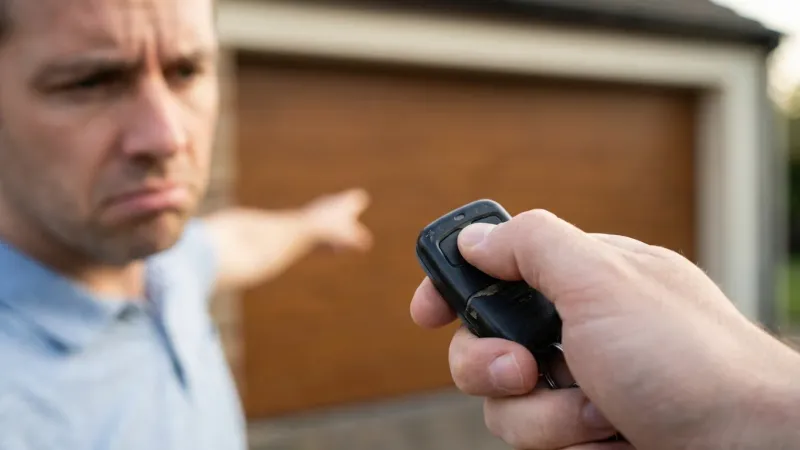
Your garage door opener suddenly stops working, the remote won’t respond, or the wall button flashes and does nothing. Before you call for service, there’s a good chance that a simple reset will fix the problem.
This guide covers the reset procedures for every major opener brand sold in NJ — with clear, step-by-step instructions. If the reset doesn’t work, we’ll explain what that tells you about the real problem.
When Should You Reset Your Opener?
A reset is the right first step when:
- ✅ The remote clicks but the door doesn’t respond
- ✅ The wall button light flashes but nothing happens
- ✅ You just replaced the batteries in your remote
- ✅ The door partially opens then reverses
- ✅ You’re adding a new remote or keypad
- ✅ After a power outage or power surge
- ✅ The opener makes a clicking/humming noise but doesn’t move
A reset is NOT the fix when:
- ❌ You hear grinding or scraping metal sounds (mechanical issue)
- ❌ A spring is visibly broken
- ❌ The door is off the track
- ❌ You smell burning (motor issue — stop using immediately)
How to Reset a LiftMaster Opener
LiftMaster is the most common brand we service across Northern NJ. Their reset process varies slightly by model generation.
Models with a “Learn” Button (Most Common)
- Locate the Learn button on the back or side of the motor unit (you may need a ladder). It’s typically purple, orange, yellow, or red depending on the security generation.
- Press and hold the Learn button for 6 seconds until the LED next to it turns off.
- Release the button. This clears ALL remote and keypad codes.
- Reprogram your remote: Press the Learn button briefly (the LED will glow). Within 30 seconds, press the button on your remote that you want to program. The opener lights will flash to confirm.
- Test the door with the reprogrammed remote.
Models with MyQ (WiFi-Enabled)
- Complete the Learn button reset above for the physical remotes.
- Open the MyQ app on your phone.
- Go to Device Settings → Remove Device.
- Re-add the opener by following the in-app setup wizard.
- Reconnect to your WiFi network when prompted.
Pro tip: If your LiftMaster’s Learn button LED won’t turn on at all, the logic board may have failed — common after NJ power surges. This requires professional replacement.
How to Reset a Chamberlain Opener
Chamberlain and LiftMaster are made by the same parent company (Chamberlain Group), so the process is nearly identical.
Standard Reset
- Find the Learn button on the motor unit (usually purple or yellow).
- Press and hold for 6 seconds until the LED turns off.
- Reprogram remotes: Press the Learn button briefly, then press the remote button within 30 seconds.
- Reprogram the keypad: Press the Learn button briefly, then enter your desired code on the keypad and press Enter.
After a Power Surge
NJ winter storms frequently cause power surges. If your Chamberlain opener was working before a storm but won’t respond now:
- Unplug the opener from the outlet for 60 seconds
- Plug it back in — the lights should flash
- If the opener powers on but doesn’t respond to remotes, perform the Learn button reset above
- If the opener doesn’t power on at all, check the outlet with a lamp. If the outlet has power but the opener doesn’t, the circuit board may be fried
How to Reset a Genie Opener
Genie openers use a similar but slightly different process.
Models with a Program Button
- Locate the Program button on the motor unit (often labeled “PROGRAM” or “SET”).
- Press and hold for approximately 10 seconds until the LED stops blinking.
- This clears all remote codes.
- Reprogram: Press Program once, then press the remote button within 30 seconds. The LED will blink to confirm.
Genie Aladdin Connect (Smart Models)
- Reset the physical remotes using the Program button above.
- In the Aladdin Connect app, go to Settings → Remove Garage Door.
- Re-add the door following the in-app instructions.
- Reconnect to WiFi if prompted.
Genie Intellicode Reset
If your Genie uses Intellicode (rolling code) technology:
- Press and release the Program button.
- Press the remote button three times — pause 1 second between each press.
- The opener light will flash twice to confirm programming.
How to Reset a Craftsman Opener
Craftsman openers (now typically made by Chamberlain Group) follow a similar Learn button process.
- Find the Learn button — on older Craftsman models, it’s often green or blue, located inside the light lens cover.
- Press and hold for 6-10 seconds until the indicator LED turns off.
- Reprogram remotes: Press Learn briefly, then press your remote button within 30 seconds.
Note for older Craftsman models: Some 1990s-era Craftsman openers use DIP switches instead of a Learn button. If you see a row of tiny switches inside the motor housing, adjust them to match the pattern on your remote. These openers use a fixed code system that’s less secure — we recommend upgrading.
Troubleshooting: What If the Reset Didn’t Work?
The Remote Still Doesn’t Work
- Battery issue: Replace the remote battery (CR2032 or CR2016 for most brands)
- Out of range: Stand within 20 feet of the opener and try again
- Interference: LED lights, nearby radio equipment, or even NJ Transit signals can interfere with opener frequencies. Try removing the light bulbs from the opener and retesting
The Wall Button Works but the Remote Doesn’t
This confirms the motor and door mechanism are fine — the issue is with the remote-to-opener communication. Repeat the programming process. If it still fails, the remote may need replacement.
Neither Remote Nor Wall Button Works
- Check the power: Is the opener plugged in? Has a breaker tripped?
- Logic board failure: If the motor unit shows no lights at all, the board may have failed. Common after NJ power surges.
- Manual release engaged: Check if someone pulled the red emergency cord. If so, re-engage the trolley: press the opener button while pulling the emergency cord handle toward the door.
The Door Reverses After Opening a Few Inches
This is a force or limit adjustment issue, not a remote/programming issue. The opener’s internal settings need recalibration — this is where professional adjustment is recommended, as incorrect force settings can create a safety hazard.
When to Call a Professional
Reset didn’t solve it? These symptoms require a licensed technician:
- Opener hums but doesn’t move → Stripped gear kit or capacitor failure
- No power to the unit → Circuit board or wiring issue
- Door reverses immediately → Safety sensor misalignment or force setting issue
- Grinding/scraping sounds → Mechanical failure in the drive system
- Burning smell → Motor overheating — stop using immediately
Related Resources
- Opener Remote Not Working? — Detailed remote troubleshooting
- Why Is My LiftMaster Beeping? — Error code guide
- Belt Drive vs. Chain Drive — Upgrading your opener
- Smart Garage Door Openers Guide — WiFi and smart features
- Professional Opener Repair — Same-day service for all brands
Brand Pages: LiftMaster • Chamberlain • Genie
Serving Northern NJ: Glen Ridge • Montclair • West Caldwell • Parsippany • All Service Areas
Ez2Fix provides free, no-obligation on-site estimates — upfront pricing before any work begins. Call (201) 554-6769 or book online.